Garmin Edge
Your routes on your Garmin Edge. No signal needed.
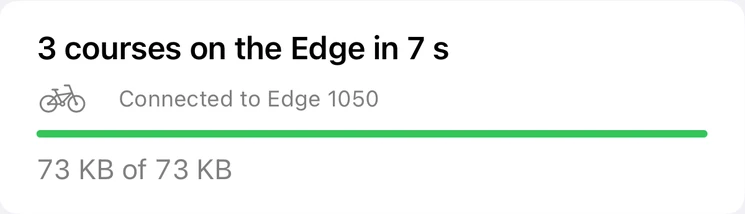
Ridekit sends routes to your Edge directly over Bluetooth. No cable, no computer, no Garmin Connect upload, and no signal: at home, abroad without roaming, or at a café halfway round when the plan changes.

- Edge 540
- Edge 840
- Edge 1040
- Edge 550
- Edge 850
- Edge 1050
Tested on the Edge 1050. Older Edges (530, 830, 1030 and earlier) aren't tested yet: sending may well work. Other bike computers: export a FIT or GPX.
How it works
Four steps, the first only once
Pair once
The Edge is paired with your iPhone in Garmin Connect, as for any Garmin phone feature. Ridekit uses that connection; there's no account and nothing else to set up.
Let go of Garmin's apps
The Edge lets one app at a time use its file channel. Close Garmin Connect and Connect IQ; if the Edge still says busy, turn Connected Features → Phone off and on again on the Edge.
Send
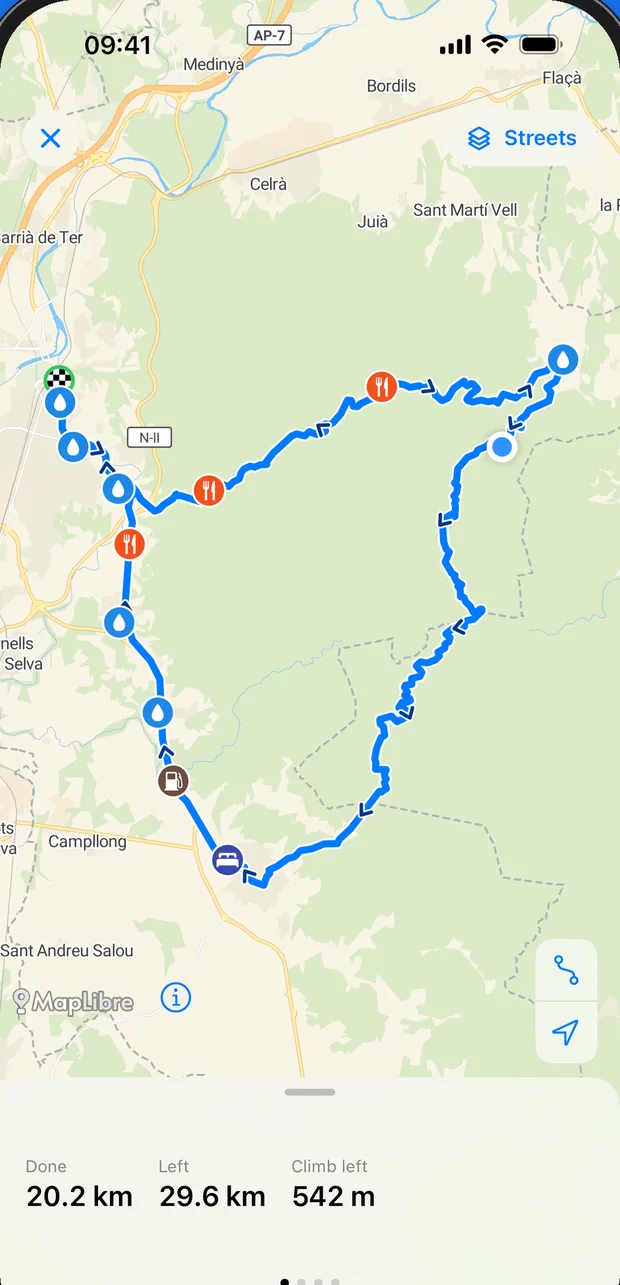
Open the route, tap Send to bike computer, then Send. The page shows the route as it goes, the detail level and every point that goes under Up Ahead.
Ride it
On the Edge: Navigation → Courses. It's a normal Garmin course, with turn guidance and climbs.
What goes along
More than the line
Stops under Up Ahead
Water, cafés and shops you add go as course points with short names that fit the Edge, like "Water L120m": side of the road and how far off.
Your controls
Add controls, dangers or a meeting place to the route; they snap onto it and go to the Edge as course points. The route file's own waypoints can go too.
Big routes, made light
Pick a lighter detail level and a 47,000-point route loads in seconds instead of a minute, and rides the same. The original is kept.
Several at once
Send a whole trip's stages in one go. More than one Edge? Ridekit asks which one gets the course.
Mid-ride
Plans change at a café: send the new course from the phone in your pocket, no internet needed, and carry on.
Room on the Edge
Your whole collection lives on the phone. The Edge, which keeps at most 100 courses, carries only what you're riding.
Edge not taking the course?
Usually Garmin Connect is holding the Edge. Every message Ridekit shows while sending is explained in Support.
- It says “The Edge is held by a Garmin app” or keeps waiting
- What do I need before the first send?
- I just turned the Edge on and the send waits
- It says “No Edge is connected to this iPhone”
- Which bike computers work?
- How do I pair the Edge with my iPhone?
- It says “Bluetooth is off” or “Bluetooth permission is off for Ridekit”
- It says “The Edge stopped responding” or “The Edge disconnected”
- The Edge says there's no room
- It says “The Edge refused the course” or “The Edge refused the upload”
Not a Garmin?
Wahoo, Hammerhead, Bryton and others
Tell Ridekit what you ride with in Settings → You ride with. Send then leads with Export for your bike computer: a FIT course or a GPX with your stops, straight into your bike computer's app or to Files. Offline maps, stops, climbs, weather and places to stay work the same on the phone.
Guides for Edge riders
Send a route to your Garmin Edge with no internet
Ridekit sends courses from your iPhone to your Edge over Bluetooth: no cable, no computer, no signal needed. Here's how, and what to do if Garmin Connect gets in the way.
Any rideChange your route mid-ride, with no signal
Plans change at a café: a headwind, a closed road, a shorter way home. Send a new course from your iPhone to your Garmin Edge during the ride, no internet needed.
Garmin EdgeEdge slow with big GPX files? Send a lighter course
Some route files carry a point every metre. Choose a lighter detail level when you send: a 240 km route goes from a minute to 6 seconds, rides the same, and the original is kept.
Any rideRoutes from Komoot, Ride with GPS or Strava to your bike computer
Any route file from any app, email or link: open it in Ridekit and put it on your bike computer. GPX, FIT, TCX, KML, KMZ and zips, with duplicates spotted.